The 3 highest-impact Flipkart growth levers: (1) Fix your main image — Flipkart is extremely visual and image drives 70% of CTR. (2) Get Flipkart Assured badge — it boosts conversion and search rank significantly. (3) Run Smart ROI ads on your top 20 SKUs consistently, not just during events.
EcomSarthi Editorial Team··17 min read
How to Increase Flipkart Sales — 14 Proven Strategies for Indian Sellers 2026
Flipkart has 300 million+ registered users and processes 8 million+ daily orders. But most sellers on the platform are stuck — same revenue month after month, unclear why. I've worked with 100+ Flipkart sellers and the causes are almost always the same: poor images, uncompetitive pricing, no Assured badge, and intermittent ads. Here's everything you need to change that.
1. Fix Your Main Image First (Biggest Quick Win)
Flipkart is arguably more visually-driven than any other Indian marketplace. In category pages and search results, buyers see: main image → price → rating. Your main image drives click-through rate (CTR) — and without clicks, nothing else matters.
❌ Common Image Mistakes
Cluttered background (not white/grey)
Product too small in frame (under 75%)
Watermarks or brand logos as overlays
Low resolution (under 800px)
Angled or shadowed shots that hide product
✅ What Works on Flipkart
Pure white background, well-lit product
Product fills 85%+ of frame
Minimum 1000×1000px (Flipkart zooms)
For fashion: model wearing product, front-on
For electronics: all-in-one shot showing ports/angles
Test this: take your current main image and compare it with your top 3 competitors in the same category. Would a buyer click on yours first? If not, that's your immediate action item.
2. Listing SEO & Attribute Completeness
Flipkart's search algorithm uses product title keywords and attribute fields as primary ranking signals. Many sellers write minimal titles and skip optional attributes — this directly reduces search visibility.
Title formula
[Brand] + [Product Type] + [Key Feature] + [Colour/Material] + [Variant]. Example: "Samsung 256GB USB-C Fast Charging Power Bank — 45W PD — Midnight Blue". Keep under 255 characters; front-load the most important keywords.
Fill every attribute field
Flipkart buyers filter heavily — by colour, size, material, brand, features. If your attribute fields are empty, you're invisible to filtered searches. Go to your listing and fill every field marked "optional" too.
Description — 5 keyword-rich bullets
Write 5 specific bullet points covering: primary feature, secondary feature, material/build quality, compatibility, and ideal use case. Include natural search keywords throughout.
Product specification table
Flipkart shows specification tables for electronics and home products. Complete every row — buyers compare specs and a complete spec table significantly improves credibility.
3. Getting Flipkart Assured Badge — The Ranking Booster
Flipkart Assured is Flipkart's quality certification badge. It signals to buyers that the product has been quality-checked and will be delivered on time. For sellers, Assured products rank higher in search results and convert significantly better.
Requirements to become Flipkart Assured:
Seller Rating: 4.0★ or above
Cancellation Rate: below 2.5%
Return Rate: below category threshold
On-time Delivery Rate: above 95%
Listing quality score: complete images, attributes and descriptions
💡 Assured Impact on Sales
One of our clients in the FMCG category achieved Flipkart Assured status after we fixed their packing quality and dispatch SLA compliance. Within 30 days of getting the Assured badge, their organic search impressions increased 68% and conversion rate went from 3.2% to 5.8%. Revenue on those SKUs grew 2.4× — with zero increase in ad spend.
Flipkart Assured status is driven primarily by operational metrics — on-time dispatch, cancellation rate and quality packaging. These are fully within your control.
4. Competitive Pricing Strategy on Flipkart
Flipkart buyers are price-conscious — they routinely compare across sellers and with Amazon. Pricing even ₹10–20 above the competition in price-sensitive categories can significantly reduce your Buy Box win rate.
Check Flipkart's "Price Competitiveness" report in Seller Central
Flipkart shows you exactly how your prices compare to other sellers and Amazon. Filter for items marked "Overpriced" — these are immediate pricing actions.
Use Flipkart's automated pricing tool (where available)
Flipkart's competitive pricing tool auto-adjusts your prices within rules you set. It ensures you stay competitive without manually monitoring every SKU.
Model full margin before price-matching
Don't race to the bottom. Use our profit calculator to model net margin at different price points. There's a floor below which competing is unprofitable. Know that floor.
For commodity products: compete on value add, not just price
Add a free gift, better packaging, extended warranty card or bundle components that competitors don't offer. This justifies a slightly higher price while still winning consideration.
5. Smart ROI Ads — Setup and Scaling
Flipkart Smart ROI is Flipkart's automated ad system. You set a target ROI (return on investment — how much revenue you want per rupee of ad spend) and Flipkart's algorithm manages bids automatically. It's simpler than Amazon PPC but still requires strategic management.
Setting
Beginner Approach
Advanced Approach
Target ROI
Start at 3×. Review weekly, increase if performing well.
Segment by product margin. High-margin SKUs: 2× ROI target. Thin-margin: 4-5×.
Daily Budget
₹200–500/day per campaign to start.
Scale winning campaigns by 20–30% weekly. No more than 50% increase at once.
Product Selection
Top 10–20 SKUs by existing organic orders.
Separate campaigns for hero SKUs, growing SKUs and new launches.
Timing
Run 24/7 consistently — don't pause on slow days.
Increase budget 50% for 3 days before weekends and festivals.
Review Frequency
Weekly — check ROI vs target and SKU-level performance.
Daily during event periods (Big Billion Days, Diwali).
7. Account Health Monitoring — The Invisible Revenue Killer
Many Flipkart sellers focus entirely on ads and listings while ignoring account health metrics that silently suppress their visibility. Flipkart's algorithm penalises sellers with poor health by reducing their search rank — effectively invisible to buyers.
Cancellation Rate
Target: Under 2.5%
Above 2.5% reduces search rank and risks Assured status. Check your top cancellation reasons weekly.
Return Rate
Target: Category-specific threshold
High returns indicate catalogue inaccuracy. Fix descriptions, images and size charts.
On-Time Dispatch
Target: Above 95%
Late dispatch is the fastest way to lose Assured badge. Set dispatch SLA buffer = your realistic packing time + 30% buffer.
Quality Complaints
Target: 0%
Quality complaints get escalated to Flipkart enforcement. Resolve every complaint within 48 hours.
Seller Rating
Target: 4.0★+ minimum
Below 4.0 removes Assured eligibility. Every negative review should get a professional response.
12. Big Billion Days — The Make-or-Break Event
Flipkart's Big Billion Days (BBD) in October is the single biggest ecommerce event in India. Sellers who prepare properly can do 8–15× their normal monthly revenue in 5 days. Sellers who don't prepare properly either run out of stock by Day 2 or miss selection entirely.
1
8–10 weeks before BBD: Submit deals early
Flipkart opens deal submissions for BBD 8–10 weeks in advance. Submit your best deals — especially lightning deals and big deals. Reviewers prioritise earlier submissions.
2
6 weeks before: Stock forecasting
Based on previous BBD sell-through rates (ask Flipkart category manager for historical data) and your growth trajectory, forecast required stock. Add 30% buffer above forecast — you'll sell it.
3
4 weeks before: Logistics prep
Arrange extra packing staff for BBD week. Stock up on boxes, bubble wrap and tape. Coordinate with your courier for increased pickup capacity. One packing bottleneck on Day 1 of BBD can mean missed SLAs.
4
2 weeks before: Ad budget planning
Set Smart ROI budgets 3–5× above normal for BBD week. Flipkart traffic multiplies; your ads need higher budgets to capture it. Brief your agency (or EcomSarthi) on budget increases.
5
During BBD: Monitor every 2 hours
Track sell-through rate hourly on Day 1. If a hero SKU is selling 3× faster than forecast, raise the price slightly to extend stock. If something isn't moving, reduce price to clear.
All 14 Strategies — Quick Reference
#
Strategy
Effort
Impact
Timeline
1
Fix main image
Low
High
Week 1
2
Listing SEO & attributes
Medium
High
Week 1–2
3
Get Flipkart Assured badge
Medium
Very High
Month 1–2
4
Competitive pricing
Low
High
Week 1
5
Smart ROI ads — launch
Low
High
Week 1
6
Smart ROI ads — scale
Medium
Very High
Month 1–3
7
Account health monitoring
Low
High
Ongoing
8
Rating & review strategy
Medium
High
Month 1–2
9
Return rate reduction
Medium
Medium
Month 1–3
10
Catalogue expansion
High
High
Month 2–4
11
Deals & promotions
Medium
Medium
Monthly
12
Big Billion Days prep
High
Very High
Once/year
13
Analytics & data review
Low
High
Weekly
14
Fulfilment optimisation
Medium
High
Month 1–2
Want EcomSarthi to implement all 14 strategies for your Flipkart account?
Our Flipkart account management covers listing optimisation, Smart ROI ads, Assured badge support, BBD preparation and weekly reporting. Average result: 2–4× revenue growth in 90 days. Free audit with specific findings.
Why are my Flipkart sales low despite having good products?
The most common culprits: poor main image (reduces CTR), missing Flipkart Assured badge (reduces trust and rank), uncompetitive pricing, or account health issues like high cancellation/return rates that suppress search visibility. Start by auditing your listing quality score in Seller Central.
What is Flipkart Smart ROI ads?
Smart ROI is Flipkart's automated PPC system. You set a target ROI (e.g., 3× = ₹3 revenue per ₹1 ad spend) and Flipkart's algorithm manages bids automatically. It's simpler than Amazon PPC but still requires strategic product selection and budget management.
What is the Flipkart Assured badge?
Flipkart Assured is a quality badge for sellers who maintain 4.0★+ ratings, under 2.5% cancellation rate, above 95% on-time delivery and complete listing quality. Assured products rank higher in search, convert better, and get featured in filter results that buyers use heavily.
How long does it take to get Flipkart Assured?
Once you meet all the metrics (rating, cancellation rate, delivery rate, listing quality), Flipkart evaluates your account within 7–14 business days. Fixing the metrics takes longer — typically 30–60 days of consistent operational improvement.
How important are images for Flipkart sales?
Extremely important. Flipkart is visually-driven — buyers scroll rapidly through category pages comparing images. A professional, high-resolution main image on a white background typically improves CTR by 30–60% compared to a poor-quality main image. It's the single highest-ROI change most sellers can make.
Most sudden Flipkart sales drops are caused by: (1) Listing deactivated due to policy violation or attribute issue — check Manage Listings for inactive status; (2) Account health warning reducing visibility — check Account Health dashboard; (3) Competitor launched a lower-priced listing winning Buy Box from you; (4) Main image flagged or replaced; (5) Flipkart search algorithm update affecting your category. First action: check Account Health, then Manage Listings, then check if a competitor has undercut your price on your top 5 SKUs.
What is Flipkart Smart ROI ads and how does it work? +
Smart ROI is Flipkart automated PPC system where you set a target ROI (e.g., 5x) and Flipkart algorithm manages bids automatically to meet that target. It is simpler than Amazon PPC — no keyword research needed, no manual bid adjustments. However, it is less granular: you cannot target specific keywords or placements. Good for new advertisers who want low-complexity ad management. Experienced sellers often combine Smart ROI for broad coverage with manual PLA (Product Listing Ads) campaigns for their top 10-20 SKUs where they want precise keyword control.
How do I get the Flipkart Assured badge? +
Flipkart Assured badge is awarded automatically when a seller consistently meets: seller rating above 4.5, on-time dispatch rate above 97%, return rate below 10%, and packaging quality compliance. Flipkart reviews eligibility monthly. Once you qualify, the Assured badge appears on all your listings — typically increasing conversion 15-25% and improving search ranking. Some categories also require quality checks of product samples by Flipkart QC team before Assured is granted. There is no application — it is automatic based on metrics.
How do I optimise my Flipkart listing for better search ranking? +
Flipkart search ranking factors: (1) Title — include primary keyword in first 60 characters; (2) Product attributes — fill all mandatory and optional attribute fields; (3) Image quality — 1000x1000px minimum, white background for main image, 3+ additional lifestyle images; (4) Competitive price; (5) Seller rating and on-time delivery; (6) Smart ROI ad spend; (7) Assured badge status; (8) Review count and rating. Most under-optimised Flipkart listings are missing 30-40% of available attribute fields — completing these alone often improves ranking significantly within 7-14 days.
What image size and format does Flipkart require? +
Flipkart main image requirements: minimum 1000x1000 pixels, pure white background (#FFFFFF), product occupying 85% of frame, JPEG or PNG format, file size under 5MB. Additional images: can show lifestyle, infographic, and detail shots. No watermarks, no brand logos on main image. Flipkart rejects images with model visible from neck up in some categories. Poor images are the #1 reason for low Flipkart CTR — a professional main image can increase click-through rate by 40-60% vs a low-quality photo.
How does Flipkart pay sellers and how long does it take? +
Flipkart pays sellers every 7-15 days after order delivery confirmation. Payment timeline varies by seller tier: regular sellers receive payment in 14-15 days; Plus/preferred sellers in 7-10 days. Deductions from settlement: Flipkart commission (3-25% by category), logistics fee, collection fee (for COD orders), packaging charges, and any return/refund deductions. Access payment statements in Seller Hub under Payments section. Keep account KYC updated to avoid payment holds.
Should I use Flipkart Fulfillment (F-Assured warehousing) or self-ship? +
Flipkart Fulfillment (FF) is similar to Amazon FBA — you send inventory to Flipkart warehouse, they pack and ship. FF products automatically qualify for Assured badge and get priority in search results. For fast-moving products with good velocity and under 2 kg, FF improves conversion 15-20%. For heavy, slow-moving, or custom products, self-ship (with your own courier) is more cost-effective. Many sellers use both — FF for top 20% SKUs, self-ship for the rest.
How do I prepare for Flipkart Big Billion Days to maximise sales? +
Big Billion Days preparation checklist (start 8 weeks before): (1) Build 60-day stock cover for top SKUs; (2) Apply for Big Billion Days deals — Flipkart sends invite to eligible sellers; (3) Optimise main images and titles for all top 30 SKUs; (4) Pre-load Smart ROI ads with 2x normal budget; (5) Check and fix all account health issues; (6) Set competitive prices to qualify for deal badges; (7) Ensure Fast Dispatch SLA — Flipkart de-lists sellers with high late dispatch rates during BBD; (8) Prepare return management SOP — BBD generates 3-5x normal return volumes.
What is Flipkart Fast Dispatch and how does it affect my sales? +
Flipkart Fast Dispatch is a badge given to sellers who consistently dispatch orders within the committed handling time (usually same-day or next-day). Fast Dispatch badge appears on product listings and improves search ranking. Sellers with Fast Dispatch badge see 15-25% higher conversion than non-Fast Dispatch listings in the same category. To maintain it: keep late shipment rate below 2%, never cancel orders due to stock issues, and always dispatch within committed time. If dispatch is at risk, update handling time proactively before missing the window.
How do I handle Flipkart returns efficiently? +
Flipkart return management best practices: (1) Accept all valid returns promptly — fighting returns harms account health score more than accepting them; (2) Inspect returned products within 24 hours of receipt; (3) For fraudulent returns (wrong product returned), raise dispute in Seller Hub with photo evidence within 72 hours; (4) Update listings to fix root causes of returns (wrong size chart, inaccurate colour description); (5) Track return reasons by SKU monthly and remove or improve high-return products; (6) Maintain return rate below 10% to keep Assured badge eligibility.
What is the commission structure on Flipkart in 2026? +
Flipkart commission (marketplace fee) by category 2026: Fashion 12-20%; Electronics 5-8%; Mobile phones 3-5%; Home and Kitchen 8-12%; Beauty 10-15%; Books 8%; Toys 10%; Furniture 10-15%. Plus: logistics fee (Rs.30-120 depending on weight and zone), collection fee for COD (1.5-2% of order value), and packaging charges in some categories. Total effective fee is 18-35% of selling price for most categories. Use our profit calculator to compute exact Flipkart margin for your product.
How do I add A+ content or brand page on Flipkart? +
Flipkart offers Enhanced Brand Content (EBC) for Brand Registry sellers — similar to Amazon A+ content. EBC allows rich product descriptions with formatted text, comparison charts, and lifestyle images within the product page. To access: Seller Hub > Listings > Enhanced Brand Content. This feature requires Flipkart Brand Registration. Listings with EBC typically show 10-15% higher conversion than standard listings. Priority categories for EBC investment: electronics, appliances, beauty, and branded fashion.
How do I get more Flipkart reviews for my products? +
Flipkart does not allow direct review solicitation (similar to Amazon policy). Organic review growth strategies: (1) Improve product quality and packaging — buyers who are genuinely delighted leave reviews; (2) Insert a product card with QR code thanking for purchase (allowed — just no direct review ask); (3) Respond promptly to all questions in Q&A section — active seller presence encourages engagement; (4) Run Smart ROI ads to increase order volume — more orders means more reviews statistically; (5) Fix products that receive 1-2 star reviews promptly — negative patterns indicate product issues, not just buyer preferences.
What Flipkart seller metrics should I track every week? +
Weekly Flipkart monitoring checklist: (1) Account Health score — must stay above 85%; (2) On-time dispatch rate — target 99%+; (3) Cancellation rate — target below 1%; (4) Return rate by SKU — review top-returning products; (5) Smart ROI campaign performance — ROAS and CTR; (6) Orders by listing — identify new bestsellers and underperformers; (7) Pending returns awaiting QC; (8) Payment settlement status — check for any holds or deductions. 15-minute weekly review prevents small problems from becoming account health violations.
Can EcomSarthi help increase my Flipkart sales? +
Yes. EcomSarthi manages Flipkart accounts end-to-end — listing SEO, Smart ROI ads, image optimisation, account health management, and return reduction. Our Flipkart sellers average 2-3x revenue growth within 90 days. Services include catalog audit, full listing optimisation, ad campaign management, Big Billion Days preparation, and weekly performance reporting. View Flipkart services →
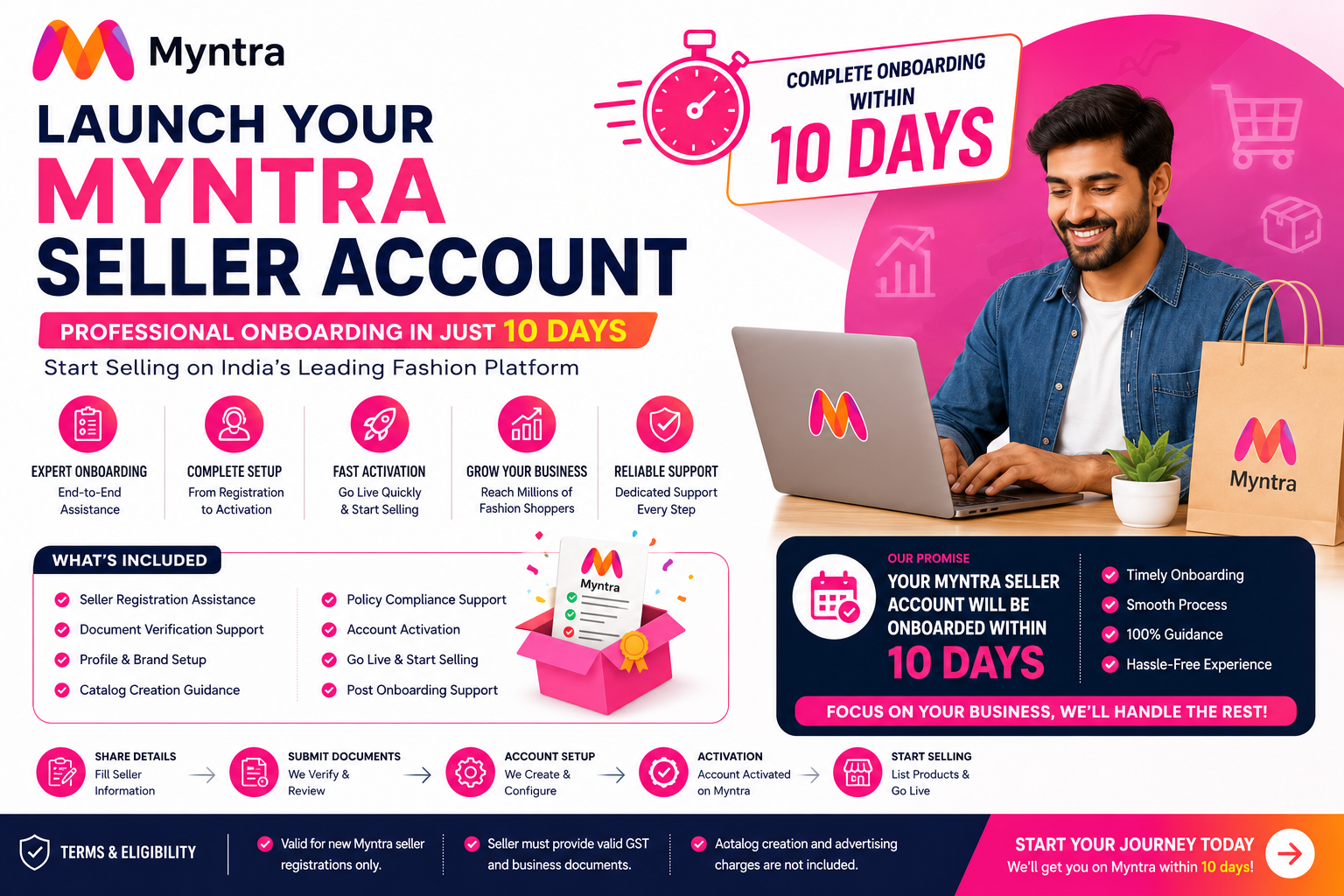
Start selling on Myntra with complete onboarding support. Our experts help you with seller registration, document verification, catalog setup, and account activation to get your business live quickly

 EcomSarthi Editorial Team·
·17 min read
EcomSarthi Editorial Team·
·17 min read